
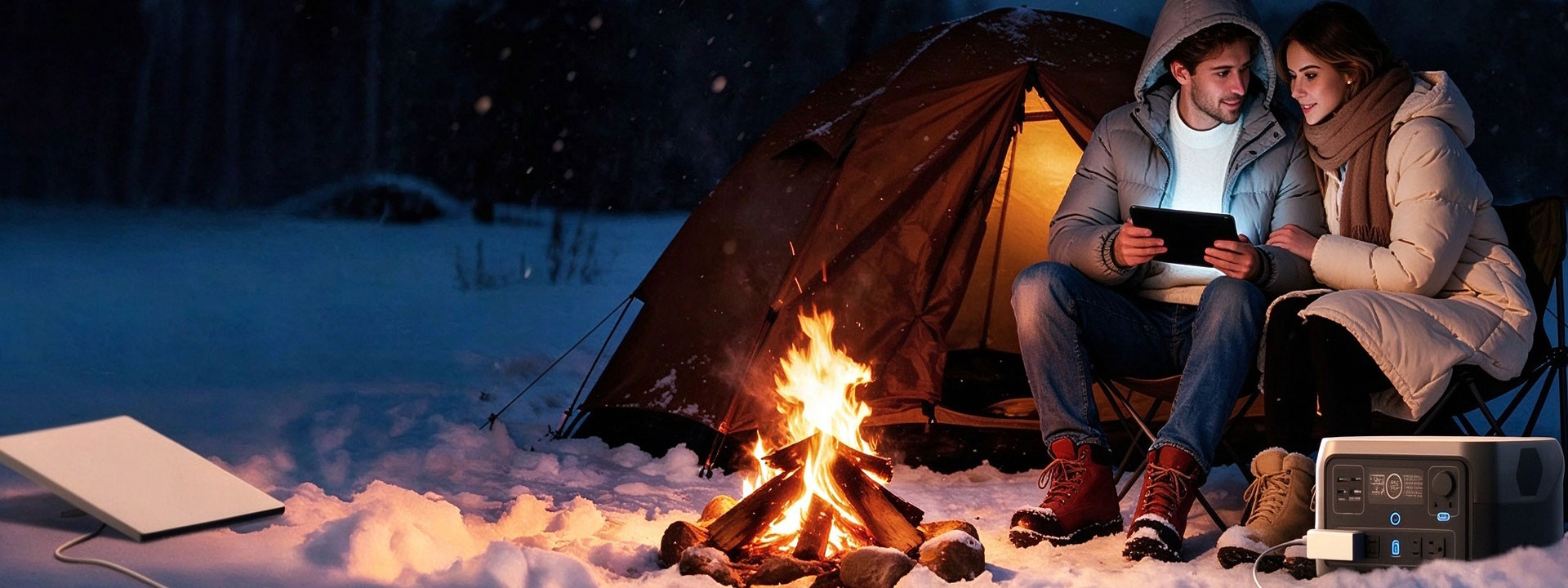
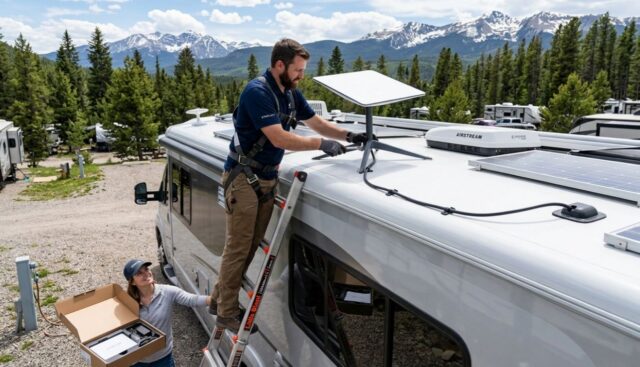
Why Mounting Matters for RV Users
Reliable internet on the road begins long before you open the Starlink app. For RV owners, the single most important decision is where and how you mount the dish. A properly chosen and secured mount determines whether you get a stable connection through a storm, down a tree-lined forest road, or while parked at a crowded campground. This guide focuses on mounts and accessories compatible with Starlink hardware; we are an independent accessory maker and are not affiliated with or endorsed by SpaceX.
Choosing a Mount Location With a Clear Sky View
Starlink needs a wide, unobstructed view of the sky to reach the low-earth-orbit satellite constellation. Even a single tree branch or a rooftop air conditioner can cause dropouts. For RVs, you have three common mounting strategies:
- Roof mount – A permanent pole or flat-roof adapter gives the highest, clearest vantage and keeps the dish out of the way. It is ideal if you mostly camp in one spot and want a "set and forget" setup.
- Pole mount (deployable) – A drive-on or ground pole lets you place the dish away from the RV where the sky is clear, then stow it for travel. Best for heavily wooded sites.
- Magnetic mount – Quick to attach to a metal surface (like a ladder or roof rack) and easy to move. Great for renters or temporary use, but it must be combined with a safety tether in high wind.
Before drilling anything, use the Starlink app's "Check for obstructions" tool from several candidate spots on your rig. The highest point that still leaves room to walk and stow the cable is usually the winner. Explore ready-made options in our RV and off-grid mount catalog.
Securing Against Vibration and Wind on a Moving Vehicle
An RV is a vibrating, wind-buffeted environment. A mount that is loose on day one will be destroyed by mile 500. Follow these rules:
- Use marine-grade 316 stainless hardware for any exterior fastener; it resists corrosion from road salt and coastal air.
- Apply thread-locker to bolts and use lock nuts, not standard nuts.
- For pole mounts, add a vibration-damping clamp or rubber isolator between the pole and the roof to reduce fatigue on the dish arms.
- In high wind, a magnetic mount should always use a secondary safety line rated for the dish's weight.
Routing the Cable Into the RV Without Leaks
Every hole you cut is a potential leak, and a leak ruins more than your signal; it ruins your floor. The clean approach is a dedicated cable entry plate or waterproof gland:
- Choose an entry point close to where the dish cable naturally lands (often near the front cap or a roof corner).
- Seal the plate with RV-grade butyl tape under the flange and a bead of self-leveling lap sealant on top.
- Run the cable inside through a drilled, grommeted hole, then connect to your 12V adapter or AC inverter inside.
- Keep a drip loop outside so water never travels along the cable into the cabin.
For a non-permanent option, many RVers route the cable through a window using a weatherproof cable feed; see our RV installation solutions for diagrams.
Powering Your Starlink in an RV: 12V DC vs AC Inverter
Starlink dishes ship with an AC power supply, but most RVs run on 12V DC house batteries. You have two practical paths:
| Method | Pros | Cons |
|---|---|---|
| 12V DC adapter (direct to battery) | High efficiency, no inverter losses, runs straight off your house bank or LiFePO4 station | Needs a quality DC-DC or fused connection |
| AC inverter (original brick) | Uses the stock supply, simple | 10–20% conversion loss, draws inverter idle power, more heat |
For boondocking, a 12V DC adapter paired with a LiFePO4 power station is the efficient choice and can stretch your off-grid time significantly. See our 12V vs AC vs USB-C power guide to size your system.
Off-Grid Data and Voice Notes
Starlink gives you data, not a phone line. If you need voice off-grid, use VoIP apps over your Starlink connection, or carry a cellular booster for spots where Starlink is blocked (tunnels, dense canyons). Plan for roughly 50–150 Wh per day for the dish depending on model and how many hours you stay online. Download offline maps before you lose service, and consider a waterproof enclosure if you leave the dish deployed in harsh weather.
Top 5 RV Installation Mistakes
- Skipping the obstruction check – Mounting where you "think" the sky is clear, then fighting dropouts all trip.
- Under-sealing the cable entry – A tiny gap becomes a slow interior leak.
- Using hardware-store zinc bolts – They rust in one season; use 316 stainless.
- Powering via a modified-sine inverter – Cheap inverters can cause the supply to drop out; use pure sine wave.
- No strain relief on the cable – Wind whips the connector until it fails; always anchor the cable.
Data References
- Starlink support and obstruction-checking guidance: starlink.com/support
- Starlink product and service overview: starlink.com
- Background on LiFePO4 batteries used in off-grid power stations: en.wikipedia.org/wiki/LiFePO4
Frequently Asked Questions
Can I use Starlink while driving my RV?
For the best performance the dish should be stationary. In-motion use is possible with specific mounting and may require a different service plan; most RVers deploy only when parked.
What is the best mount for an RV roof?
It depends on your roof and travel style. A permanent flat-roof or pole adapter suits full-timers; a magnetic or quick-release mount suits seasonal travelers who want flexibility.
How do I power Starlink off-grid?
Use a 12V DC adapter connected to your house batteries or a LiFePO4 power station. This avoids inverter losses and maximizes runtime.
Will running the cable through the wall cause leaks?
Not if you use a proper cable entry plate with butyl tape and lap sealant, plus a drip loop. The key is sealing the flange, not just the hole.